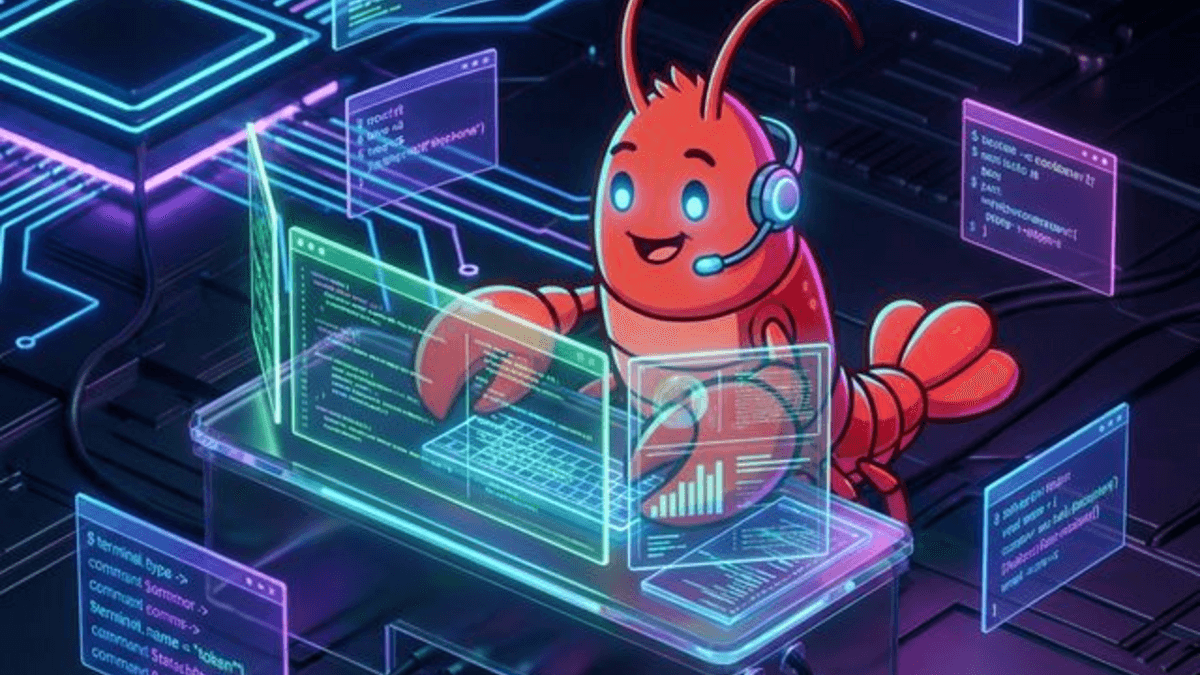
OpenClaw Complete Guide: Install the “Lobster” AI Assistant + NVIDIA NemoClaw (2026)
TL;DR OpenClaw is an open‑source, self‑hosted “operating system” for personal AI that runs on your own machine or VPS, talks to you on Telegram/WhatsApp/Slack, and can autonomously do work (files, shell, browser, GitHub, cron). This 2026 guide shows how to install it locally or on a cheap VPS, configure any LLM (Claude, GPT‑4, DeepSeek, Ollama, or NVIDIA Nemotron), optionally upgrade to NVIDIA’s hardened NemoClaw stack, and set up real automations like daily summaries and GitHub PR alerts.
Table of Contents
- What is OpenClaw and why is everyone talking about it?
- What changed in OpenClaw in 2025–2026?
- Local install (macOS / Windows WSL / Linux)
- VPS install (Hetzner / DigitalOcean / any Linux VPS)
- LLM configuration: Claude, OpenAI, DeepSeek, Nemotron or Ollama?
- Optional: NVIDIA NemoClaw – safer, always‑on OpenClaw on RTX GPUs
- Simple automation examples
- FAQ
- General troubleshooting & logs
What is OpenClaw and why is everyone talking about it?
OpenClaw (formerly Clawdbot and Moltbot) is an open‑source, self‑hosted AI agent runtime that runs on hardware you control and talks to you on the channels you already use (WhatsApp, Telegram, Slack, Discord, email, and more). Instead of being “just a chatbot”, it behaves more like an operating system for personal AI: it can read and write files, execute shell commands, control a browser, schedule jobs, and react to external webhooks or events. All configuration, memory, and interaction history are stored as plain Markdown files in your workspace, so you can inspect or edit what the lobster remembers about you at any time.
OpenClaw focuses on autonomy, privacy, and local ownership of infrastructure. It can run on macOS, Windows (via WSL), Linux, or a VPS, and you decide which language models to connect: frontier cloud models like Claude or GPT‑4, cost‑optimized options like DeepSeek, or local models via Ollama or NVIDIA Nemotron.
OpenClaw advantages (2026)
- Self‑hosted control plane: Runs on your machine or VPS as a gateway that orchestrates LLM calls, tools, and integrations while keeping raw data under your control.
- True autonomy: A background daemon periodically wakes up, reads a checklist (for example
HEARTBEAT.md), and decides which tasks to execute without you manually prompting every step. - Persistent Markdown memory: Remembers conversations, preferences, and workflows over time by writing them to Markdown files you can open and edit with any text editor.
- Rich toolset: Built‑in tools for shell execution, file access, browser automation, cron jobs, and webhooks so the lobster can actually do work, not just suggest commands.
- Channel integrations: Talks to you where you already are (Telegram, WhatsApp, Slack, Discord and more), turning normal chat apps into an interface to your personal AI worker.
- Model flexibility: Supports multiple models and automatic failover, letting you mix Claude, GPT‑4, and local LLMs depending on cost, latency, and privacy requirements.
What changed in OpenClaw in 2025–2026?
OpenClaw evolved rapidly over late 2025 and early 2026. The project went from a small “WhatsApp relay” into one of the fastest‑growing open‑source AI repositories, crossing more than one hundred thousand GitHub stars within weeks of being renamed to OpenClaw. The architecture stabilized around a local gateway that owns your data and orchestrates tools, with a growing ecosystem of plugins and companion projects such as LiteClaw and Clawra for more experimental use cases.
The focus today is on reliability and safe autonomy: the gateway runs as a background service (systemd on Linux, LaunchAgent on macOS) with a heartbeat loop, robust integrations (GitHub, calendars, smart home, etc.), and better support for long‑context models and persistent memory. This is the version covered in this 2026 guide.
Local install (macOS / Windows WSL / Linux)
Prerequisites
- Node.js 22 (LTS as of 2026)
- npm or pnpm
- Git
- (Optional) Python 3 + build tools if you plan to use native modules
1. Clone the repository
git clone https://github.com/openclaw/openclaw.git
cd openclaw
2. Install dependencies
# Recommended in 2026:
pnpm install

# Or with npm (still supported):
npm install
3. Configure environment
Create a .env file in the project root:
# LLM providers
ANTHROPIC_API_KEY=sk-ant-...
OPENAI_API_KEY=sk-...
DEEPSEEK_API_KEY=...

# Messaging channels (optional, add only what you need)
TELEGRAM_BOT_TOKEN=...
WHATSAPP_API_TOKEN=...
SLACK_BOT_TOKEN=...

# Optional: local model endpoint
OLLAMA_BASE_URL=http://localhost:11434
4. Run locally
# Development mode
node src/index.js

# Or as a background service with PM2
npm install -g pm2
pm2 start src/index.js --name openclaw
pm2 save
pm2 startup
OpenClaw will start a local web UI (default http://localhost:3000) and begin listening for messages on the configured channels.
Troubleshooting: Local install
npm install fails with node-gyp errors
Make sure you have Python 3 and build tools:
- macOS:
xcode-select --install - Ubuntu/Debian:
sudo apt update && sudo apt install -y python3 build-essential - Windows: Install “Desktop development with C++” via Visual Studio Installer.
openclaw: command not found
The global binary isn’t in your PATH. Either:
- Use
npx openclawinstead ofopenclaw, or - Run
npm install -g pnpmthenpnpm link --globalinside the cloned repo.
Port 3000 already in use
Change the port in config.yaml:
server:
  port: 3001
Then restart: pm2 restart openclaw (or node src/index.js again).
Where are the logs?
- With PM2:
pm2 logs openclaw --lines 200 - Without PM2: tail the terminal output, or check
logs/openclaw.logif you configured file logging.
VPS install (Hetzner / DigitalOcean / any Linux VPS)
Recommended VPS: 2 vCPU, 4 GB RAM (e.g. Hetzner CX22, DigitalOcean 2‑GB droplet). This is enough for OpenClaw itself when using cloud LLM APIs. If you plan to run large local models, provision more RAM and (ideally) a GPU.
1. Connect to your VPS
ssh root@your.vps.ip
2. Install Node.js 22
curl -fsSL https://deb.nodesource.com/setup_22.x | bash -
apt-get install -y nodejs
node -v  # should be v22.x
3. Install Git, PM2, and build tools
apt-get install -y git build-essential python3
npm install -g pm2
4. Clone and install OpenClaw
git clone https://github.com/openclaw/openclaw.git
cd openclaw
pnpm install   # or: npm install
5. Configure environment
cp .env.example .env
nano .env
Fill in your API keys and channel tokens as in the local install section.
6. Start as a system service
pm2 start src/index.js --name openclaw
pm2 save
pm2 startup   # follow the printed command and run it
7. Open the port or add HTTPS
Option A: Open port 3000 directly
- In your cloud provider’s firewall, allow TCP 3000 inbound.
- Access
http://your.vps.ip:3000.
Option B: Use a reverse proxy (recommended) Example with Caddy:
apt-get install -y debian-keyring debian-archive-keyring apt-transport-https
curl -1sLf 'https://dl.cloudsmith.io/public/caddy/stable/gpg.key' | gpg --dearmor -o /usr/share/keyrings/caddy-stable-archive-keyring.gpg
curl -1sLf 'https://dl.cloudsmith.io/public/caddy/stable/debian.deb.txt' | tee /etc/apt/sources.list.d/caddy-stable.list
apt-get update
apt-get install -y caddy

# Create /etc/caddy/Caddyfile:
# yourdomain.com {
#   reverse_proxy 127.0.0.1:3000
# }
Then caddy run.
Troubleshooting: VPS install
npm install hangs or fails
- Ensure Node 22 is properly installed:
node -vshould showv22.x. - If using nvm:
nvm use 22before installing. - Clear cache:
npm cache clean --forceand retry.
Node not found after nvm install
Add to ~/.bashrc:
export NVM_DIR="$HOME/.nvm"
[ -s "$NVM_DIR/nvm.sh" ] && \. "$NVM_DIR/nvm.sh"
nvm use 22
Then source ~/.bashrc.
Can’t reach the web UI (port 3000)
- Open the port in the cloud firewall:
- Hetzner Cloud: Firewall → Rules → Allow TCP 3000 inbound.
- DigitalOcean: Networking → Firewalls → Add rule TCP 3000.
- Or use a reverse proxy (Caddy/Nginx) with HTTPS and forward to 127.0.0.1:3000.
PM2 starts but process crashes
- Check logs:
pm2 logs openclaw --lines 300 - Common cause: missing environment variables (API keys). Set them in
.envorconfig.yaml. - Increase memory limit:
pm2 restart openclaw --max_memory_restart 2G.
Where are the logs on VPS?
pm2 logs openclaw- Systemd:
journalctl -u openclaw -f - Raw stdout:
~/.pm2/logs/openclaw-out.log
Note on local models: If you plan to run large local models instead of cloud APIs, provision more CPU, RAM, and (ideally) a GPU. Community experience shows that complex multi‑step agent tasks are more reliable on 32B+ parameter models, which typically need at least 24 GB of VRAM when hosted locally.
LLM configuration: Claude, OpenAI, DeepSeek, Nemotron or Ollama?
OpenClaw separates the agent brain (the language model) from the agent body (tools, files, browser, cron jobs). You can swap LLM providers without touching the rest of your setup.
Cloud APIs (recommended for most users)
- Anthropic Claude: Often recommended as the primary model for complex reasoning, long context, and stronger resistance to prompt‑injection attacks. Many setups run Claude Sonnet for day‑to‑day tasks and fall back to a larger Claude variant only when needed.
- OpenAI (GPT‑4‑class models): Great all‑round performance and ecosystem support, especially if you already use OpenAI for other projects.
- DeepSeek and other OpenRouter models: Useful when optimizing for cost while still getting strong coding and analysis performance.
Local models (no per‑token cost, higher hardware needs)
- Ollama: Easiest way to run local Llama‑family models and connect them to OpenClaw via an OpenAI‑compatible API. Works well for smaller automations on consumer GPUs or CPU‑only machines, but multi‑step autonomous workflows still benefit from 32B‑scale models.
- NVIDIA Nemotron via NemoClaw: If you have an RTX GPU or workstation, NemoClaw can automatically detect your hardware and run Nemotron‑family open models locally inside a secure sandbox (explained in the next section).
In all cases, you configure API keys or local endpoints in the OpenClaw settings screen or in the NemoClaw/OpenShell installer wizard, and the lobster takes care of routing calls to the right provider.
Optional: NVIDIA NemoClaw – safer, always‑on OpenClaw on RTX GPUs
If you have an NVIDIA GPU (GeForce RTX, RTX PRO, or a small DGX box) and you want stronger security and privacy controls around OpenClaw, you can use NVIDIA NemoClaw instead of installing vanilla OpenClaw directly on the host. NemoClaw is an open‑source stack that wraps OpenClaw in NVIDIA OpenShell and Agent Toolkit, adding policy‑based guardrails for what the agent can access, how it handles data, and which models it can call. Think of OpenClaw as the core engine, and NemoClaw as a hardened distribution that makes it safer to run autonomous agents 24/7 on powerful local hardware.
What NemoClaw adds on top of OpenClaw
- Secure sandbox runtime (OpenShell): OpenClaw runs inside an isolated sandbox where file access, network calls, and tool usage are all mediated by OpenShell, so the agent can only touch what your policies allow.
- Privacy and policy controls: NVIDIA Agent Toolkit lets you define guardrails for sensitive data, audit what the agent is doing, and route traffic through a privacy router that can decide when to use local vs. cloud models.
- Local Nemotron models: NemoClaw automatically evaluates the available GPU and can run Nemotron‑family open models locally for better privacy and lower variable costs, while still falling back to cloud frontier models if you enable them.
- Always‑on compute: Designed for machines that are expected to stay on (desktop RTX PCs, workstations, small DGX systems), so agents can continuously watch inboxes, webhooks, or cron jobs and react without you opening a browser tab.
One‑command NemoClaw installation
NVIDIA provides a one‑line installer that sets up OpenShell, NemoClaw, and a preconfigured OpenClaw sandbox:
curl -fsSL https://www.nvidia.com/nemoclaw.sh | bash
Run this command on a compatible Linux machine with an NVIDIA GPU and recent drivers. The script installs the NemoClaw runtime, downloads the necessary containers, and starts an onboarding wizard where you choose things like sandbox name, GPU usage, and preferred LLM providers. Inside that sandbox, OpenClaw is already installed and configured to run through OpenShell with NVIDIA’s security defaults.
After installation, you can:
- Connect your preferred LLMs (Claude, OpenAI, Nemotron, etc.) through the Agent Toolkit provider settings.
- Expose the NemoClaw web UI through HTTPS using a reverse proxy like Caddy or Nginx (especially on cloud VPSes).
- Connect messaging channels (Telegram, WhatsApp, Slack) the same way you would with vanilla OpenClaw – the difference is only that everything runs inside the NemoClaw/OpenShell sandbox.
If you do not need GPU acceleration or advanced security policies, the classic Git + Node.js installation from the previous section is simpler and works on more providers (including low‑cost VPSes without GPUs). Use NemoClaw when you specifically want GPU‑accelerated local models plus enterprise‑style safety controls around your autonomous lobster.
Simple automation examples
Once OpenClaw is running, you can create powerful automations with just a few lines of configuration. Here are two starter workflows.
Example 1: Daily Telegram summary
Have OpenClaw send you a digest every morning at 08:00 with:
- Yesterday’s key messages from Telegram, email, and Slack
- Top 3 GitHub issues you need to review
- A short AI‑generated recap
Steps:
- Create
skills/daily-summary.md:
name: daily-summary
schedule: "0 8 * * *"   # Cron: 08:00 every day
prompt: |
  You are a personal assistant.
  1. Summarize all new messages from the last 24h in Telegram, email, and Slack.
  2. List the top 3 GitHub issues assigned to me that need attention.
  3. Write a 5‑sentence “daily brief” with action items.

  Output only the brief in markdown.
channels:
  telegram:
    enabled: true
    chat_id: YOUR_TELEGRAM_CHAT_ID
- Reload skills:
npx openclaw reload-skills
- Test manually:
npx openclaw run-skill daily-summary
You’ll get the same message every morning without lifting a finger.
Example 2: GitHub PR ping on X / Telegram
Get notified when a new pull request is opened in a specific repo, with an AI‑generated summary.
Steps:
- In your OpenClaw config (
config.yaml), enable the GitHub channel:
channels:
  github:
    enabled: true
    token: gh_XXXXXXXXXXXXXXXX
    repos:
      - my-org/my-repo
- Create
skills/github-pr-alert.md:
name: github-pr-alert
trigger:
  github:
    event: pull_request
    action: opened
prompt: |
  A new pull request has been opened in {repo}.
  Title: {title}
  Author: {user}
  Branch: {head}

  Write a short summary (3–5 sentences) of what this PR likely does,
  and suggest 3 things the maintainer should check before merging.

  Then post the summary to Telegram and X.
channels:
  telegram:
    enabled: true
    chat_id: YOUR_TELEGRAM_CHAT_ID
  twitter:
    enabled: true
    post_as: your_username
- Reload:
npx openclaw reload-skills
From now on, every new PR triggers an AI‑generated alert in your preferred channels.
💡 For more templates, see the SOUL.md Mega Pack or the awesome-openclaw list on GitHub.
FAQ
Q: Do I need an NVIDIA GPU to use OpenClaw? No. OpenClaw works fine on CPU‑only machines and VPSes. GPU acceleration and local Nemotron models are only needed if you want to run large models locally and use NemoClaw’s extra security features.
Q: Can I run OpenClaw on a Raspberry Pi? Yes, but avoid heavy local models. Use a small VPS or cloud LLM APIs and keep the Pi for lightweight automations and channel integrations.
Q: Is OpenClaw safe to leave running 24/7? Yes, when configured properly. Use:
- Strong API keys and environment variables
- Limited‑privilege chat bot tokens
- (Optional) NemoClaw’s sandbox and policy controls
- Regular updates from the official repo
Q: How do I stop OpenClaw from doing something I didn’t want?
- Edit or delete the relevant skill (
skills/*.md). - Adjust the system prompt to add “do not” rules.
- Use NemoClaw policies to restrict tool usage.
- Disable the channel or throttle the schedule.
Q: My lobster keeps “forgetting” things. How do I make it remember more?
OpenClaw stores memory in Markdown files (e.g. memory/*.md). You can:
- Manually edit these files to add persistent notes.
- Use the
save-memorytool in prompts. - Increase the context window by switching to a larger model.
General troubleshooting & logs
If something isn’t working, check these first:
Is the service running?
- PM2:
pm2 list - Systemd:
systemctl status openclaw - Docker/NemoClaw:
docker ps | grep openclaw
Recent errors?
pm2 logs openclaw --lines 200journalctl -u openclaw -f --no-pager- NemoClaw:
docker logs -f npmclaw-openclaw
Environment variables missing?
Ensure .env exists in the OpenClaw root and contains:
ANTHROPIC_API_KEY=sk-ant-...
OPENAI_API_KEY=sk-...
TELEGRAM_BOT_TOKEN=...
Restart after changes: pm2 restart openclaw
Still stuck?
- Search GitHub Discussions: https://github.com/orgs/openclaw/discussions
- Join the Discord: https://discord.gg/openclaw
- Check the official docs: https://docs.openclaw.ai
Want this professionally set up for your company? We run agents like this in production daily — with sandboxing, monitoring and safety limits, not weekend experiments. See our autonomous AI agents service or read about the specialized agent architecture we use internally.
Last updated: March 2026. This guide covers the latest OpenClaw architecture and NVIDIA NemoClaw integration.